 WineWorx
The CellarTracker alternative built for your phone
CellarTracker is the deepest wine database, refined over two decades for the desktop. WineWorx brings cellar management to your pocket: a visual fridge you can actually see, your whole collection at a glance, and full access even when you are offline.
 Free to start · iPhone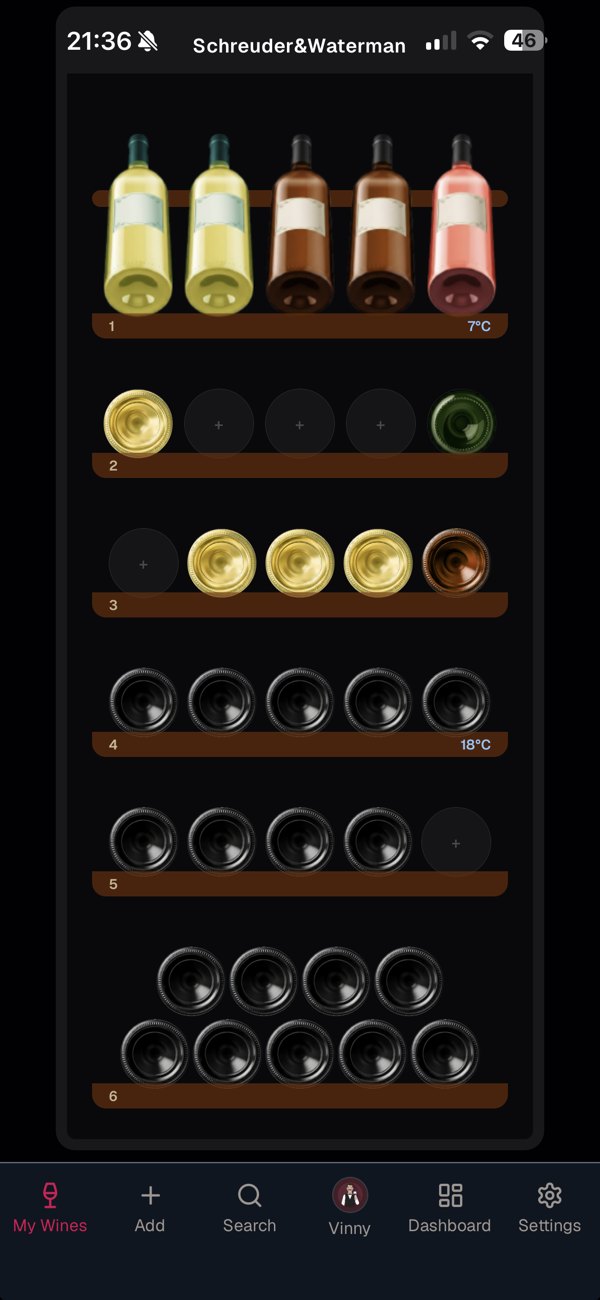
CellarTracker is powerful. On a desktop.
CellarTracker is unmatched at what it was built for: a vast community database of tasting notes and critic scores, and deep reporting tools refined over twenty years. Serious collectors rely on it, and for good reason.
But it was designed desktop-first, and it shows. The mobile app is a wrapped version of the website, the learning curve is steep, and there is no offline access — so the one moment you need your list most, standing in the cellar with no signal, is the moment it stops working.
WineWorx takes the same job and rebuilds it for your phone.
Your cellar, rebuilt for your phone
See your cellar, don't read it
Recreate your wine fridges with shelves and sections you can actually see on screen. Every bottle has a visual home, so finding that one Barolo is a glance — not a filtered report.
Built for your phone, not your desk
WineWorx is mobile-first from the ground up. Add, find and browse your collection with your thumb, right where your bottles are — instead of a desktop tool squeezed onto a small screen.
Ask Vinny, your AI sommelier
What to open tonight, which bottle suits the occasion, what pairs with a cheese board: Vinny knows your collection and gives advice based on what you actually own.
Your whole collection at a glance
A modern dashboard shows collection value, vintages and drinking windows at once — no pivot tables or menus to build first.
Works offline
Standing in a cellar with no reception? Your full collection stays available offline, and changes sync automatically when you are back online.
Built for how you actually use it
Your cellar, visualized
Shelves and sections, just like the real thing
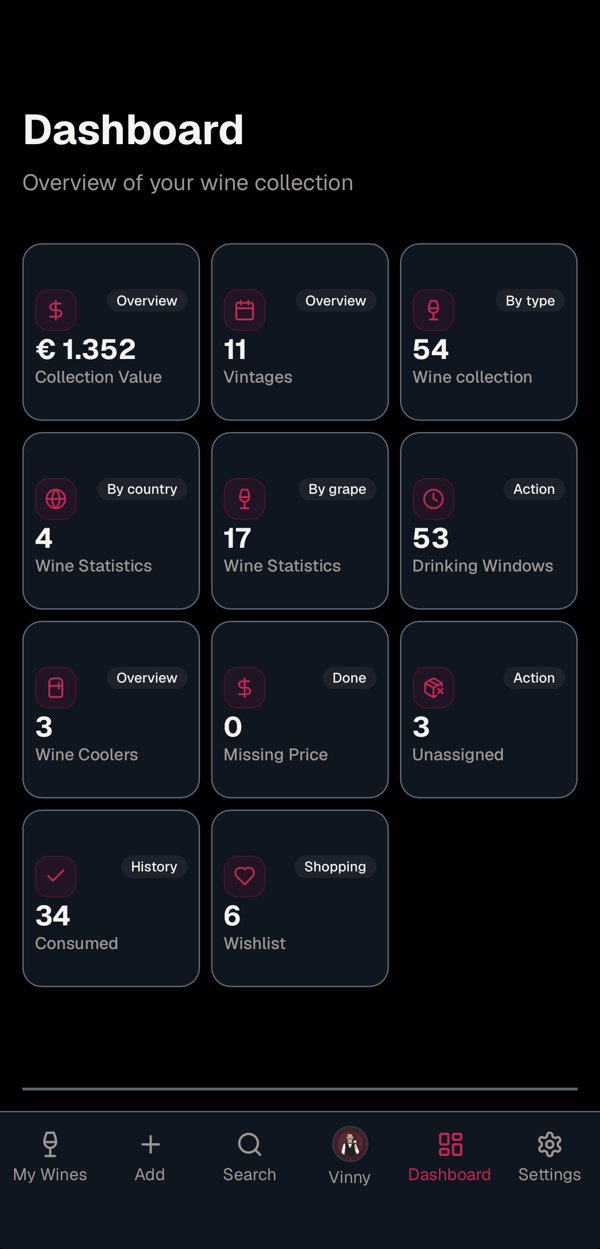
Everything at a glance
Value, vintages and drinking windows
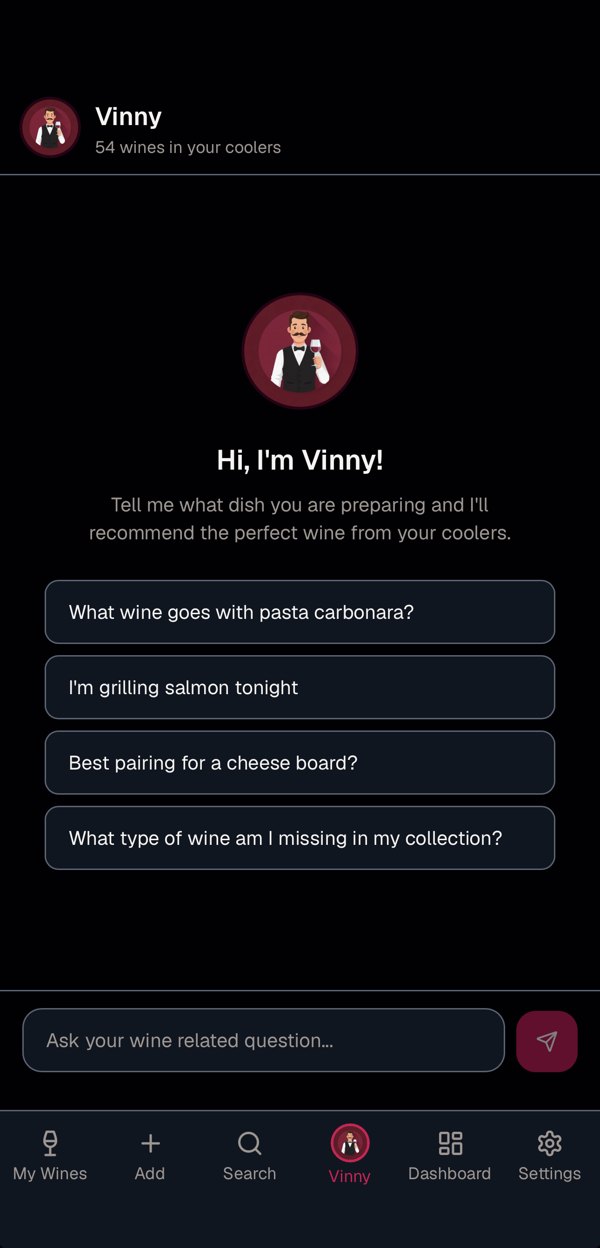
Ask Vinny
An AI sommelier for your own collection
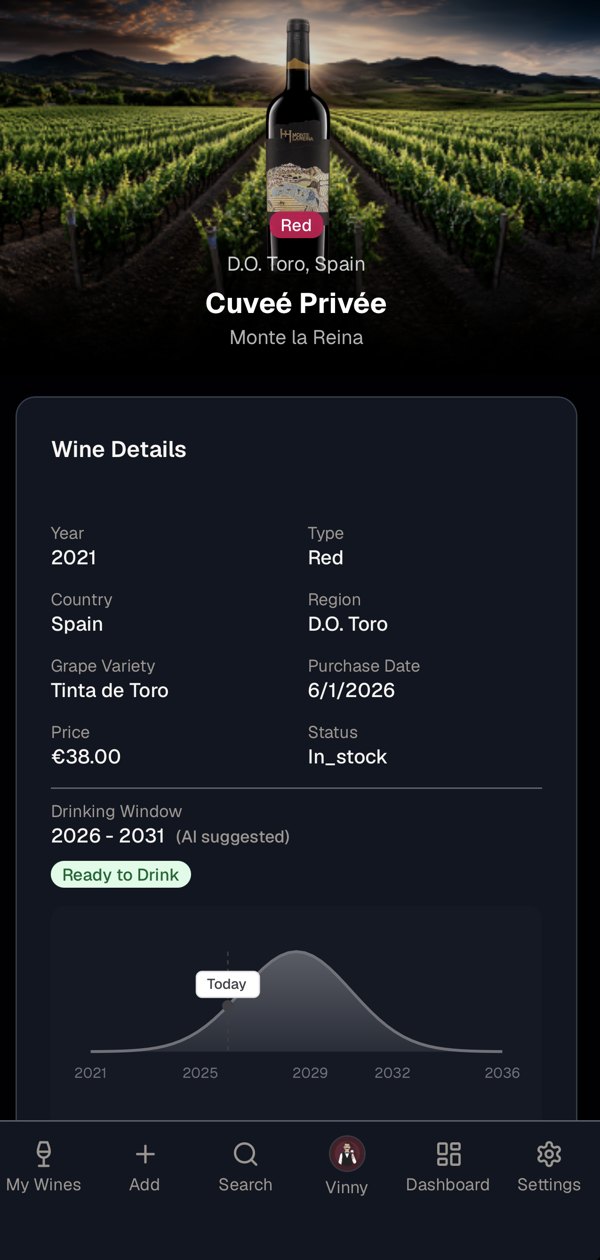
Drink at its peak
AI drinking windows for every bottle
WineWorx vs. CellarTracker
| WineWorx | CellarTracker | |
|---|---|---|
| Mobile-first design | ✓ | Desktop-first |
| Visual fridge layout (shelves & sections) | ✓ | List-based |
| At-a-glance visual dashboard | ✓ | Tables & reports |
| AI sommelier / food pairing on your collection | ✓ | ✓ |
| Offline access to your collection | ✓ | – |
| Physical bottle location tracking | ✓ | ✓ |
| AI label recognition by photo | ✓ | ✓ |
| Drinking-window guidance | ✓ | ✓ |
| Community tasting notes & critic scores | Your own notes | ✓ |
| Platforms | iPhone + web | Web · iOS · Android |
CellarTracker is the deepest wine database, refined over two decades for desktop power users. WineWorx is the modern, mobile-first way to manage the bottles you own — with a visual cellar and everything a glance away. Many collectors use both.
Moving from CellarTracker?
You do not have to start from scratch. Point your camera at each label and WineWorx recognizes the wine and fills in the details for you — building your visual cellar takes an afternoon, not a weekend.
Start free, upgrade when your collection grows
Free
WineWorx is free for up to 50 AI credits and one wine fridge. That is enough to see whether it fits the way you manage your collection. Premium removes all limits: label scanning, Vinny the sommelier, drinking windows, multiple wine fridges and photo background removal.
Frequently asked questions
Is WineWorx free?
Yes. The free tier includes up to 50 AI credits and one wine fridge. Premium unlocks unlimited wines, unlimited fridges, and unlimited use of AI features.
How is WineWorx different from CellarTracker?
CellarTracker is a deep, desktop-first wine database with two decades of community tasting notes. WineWorx is mobile-first: a visual cellar you can see, an at-a-glance dashboard, and full offline access. Many collectors use both.
Which devices does WineWorx work on?
WineWorx is available for iPhone on the App Store. Once you have an account, you can also open your collection in the browser at www.eworx.shop, for example on your iPad or computer.
Does WineWorx work without an internet connection?
Yes. Your collection is stored on your device and stays fully accessible offline, and syncs automatically when you reconnect.
Do I need to be a wine expert to use it?
No. If you can take a photo of a bottle, you can build your collection. Vinny, the AI sommelier, helps with the rest.
Your cellar. In your pocket.
Join collectors who manage their bottles the modern way — visual, mobile, and always with them.